Tutorial
Before running the code from this tutorial, we recommend that you set up your environment by following the instructions in the getting started section of the documentation.
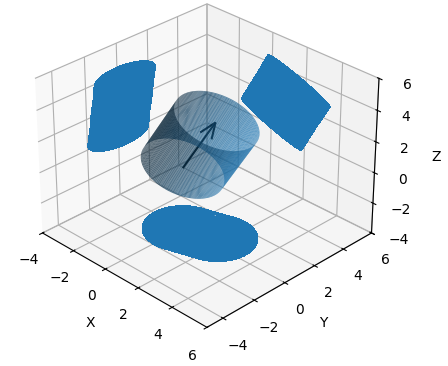
The Cylinder class is used to represent the 3-D cylinders that make up a QSM. The most important function of these Cylinder objects is their ability to return data regarding the projections onto the XY, XZ and YZ planes.
  myCyl = Cylinder(
    cyl_id=1.0,
    x=[3, 6],
    y=[2, 4],
    z=[6, 12],
    radius=2.0,
    length=0.064433,
    branch_order=0.0,
    branch_id=0.0,
    volume=0.010021,
    parent_id=0.0,
    reverse_branch_order=32.0,
    segment_id=0.0,
  )
  fig = myCyl.draw_3D(show=False, draw_projections=True)
# Creating a CylinderCollection object
myCollection = CylinderCollection()

# The below file is one of our several testing files featuring only
# the trunk of a tree and one of its branches
myCollection.from_csv("charlie_brown.csv")

# plot the tree as seen from the 'front'
myCollection.draw("XZ")

# plot the tree as seen from above
myCollection.draw("XY")

# plot the tree as seen from the 'side'
myCollection.draw("YZ")
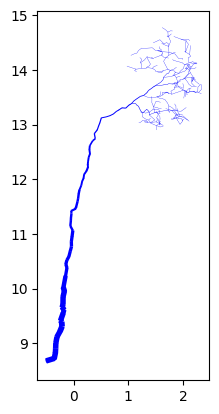
XZ Projection
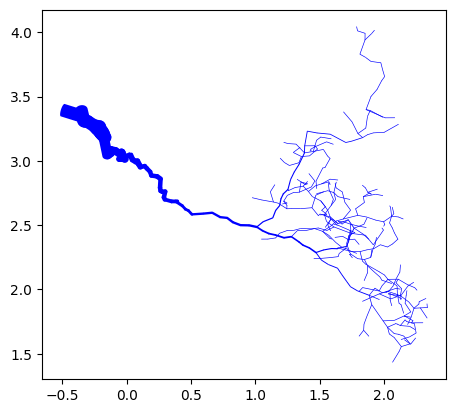
XY Projection
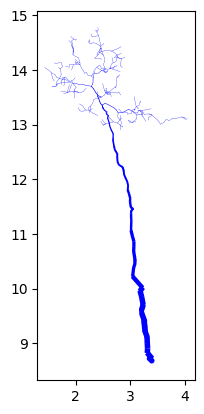
YZ Projection
Compared to a QSM, CylinderCollections have additional structure in the form of a digraph model. These digraph models represent the direction water flows along the branches of the modeled tree and are used in the ‘find_flow_components’ and ‘calculate_flows’ function to characterize the flow of water through the canopy. The below code, continuing from the above demonstrates the use of these functions.
# creating the digraph model
myCollection.initialize_digraph_from()

# Identifying the flows to which each cyl belongs
myCollection.find_flow_components()

# Calculating the propreties of each flow
myCollection.calculate_flows()

# Print out recommend flow characteristics
print(myCollection.flows)
num_cylinders |
projected_area |
surface_area |
angle_sum |
volume |
sa_to_vol |
drip_node_id |
drip_node_loc |
|---|---|---|---|---|---|---|---|
162.0 |
0.345 |
1.167 |
111.92 |
0.019 |
82717.985 |
0.0 |
(-0.5, 3.4, 8.7) |
18 |
0.005 |
0.021 |
10.275 |
0.0 |
14370.354 |
232 |
(1.9, 2.2, 13.9) |
13 |
0.004 |
0.015 |
7.718 |
0.0 |
11229.764 |
360 |
(1.8, 2.6, 13.6) |
24 |
0.008 |
0.032 |
1.697 |
0.0 |
18378.751 |
515 |
(1.5, 2.8, 12.9) |
… |
… |
… |
… |
… |
… |
… |
… |
What you see above is a sample of the flow characteristics calculated for the ‘charlie_brown’ tree. The first flow listed is, as is the convention in canoPyHydro, the tree’s stemflow and the others are the throughfall flows. The ‘drip_node_loc’ column lists the x,y,z coordinates of the node of the afformentioned graph to which water intercepted by the flow’s cylinders is directed. The various geometric characteristics give a sense of the size and shape of the flow’s cylinders (or ‘canopy drainage area’).
The draw function also allows for a variety of different overlays, filtering and highlighting. To demonstrate this briefly, we will show below how this filtering can be used in a variety of ways, including highlighting the various flows mentioned above. For more information on the CylinderCollection class, please refer to the documentation.
# Plot the entire tree with stem flow highlighted
myCollection.draw("XZ", highlight_lambda=lambda:is_stem)

# Plot the interesting portion of the tree with stem flow highlighted
myCollection.draw("XZ",
                  highlight_lambda=lambda:is_stem,
                  filter_lambda=lambda: cyl_id>100)

# Adding drip points to the above mentioned plot
myCollection.draw("XZ",
                  highlight_lambda=lambda:is_stem,
                  filter_lambda=lambda: cyl_id>100,
                  include_drips=True)

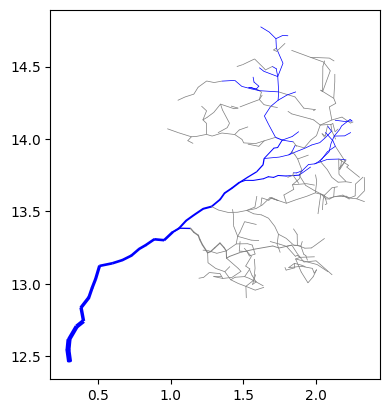

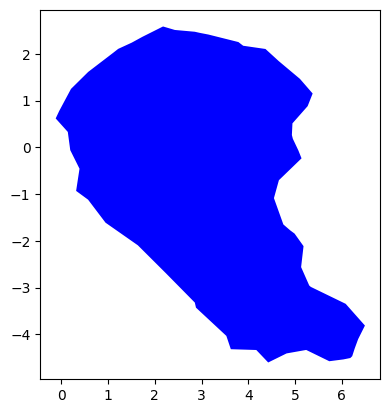
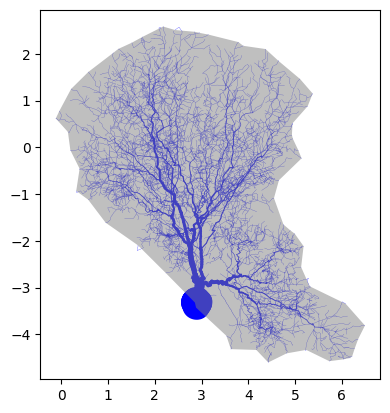
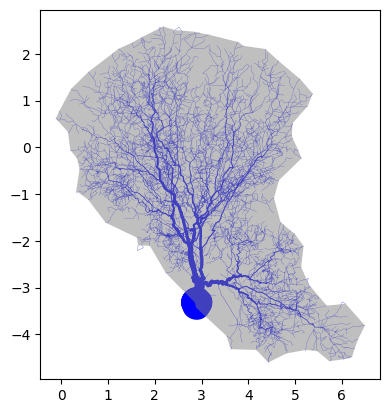
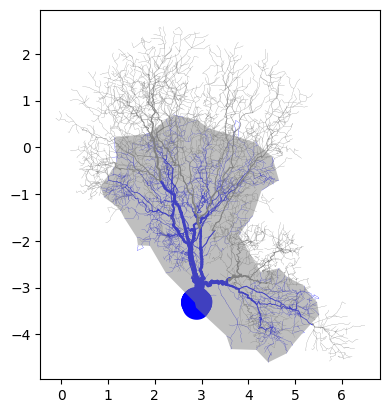
The final bit of functionality we will review today is the ability to create concave hulls around groups of cylinders in a CylinderCollection. This is done using the ‘watershed_boundary’ function. The below code demonstrates how this function can be used to find a concave hull around the entire tree, or a portion of the tree. Note that a new, more robist example tree is used
# Reading in the tree data and finding flows
myCollection = CylinderCollection()
myCollection.from_csv("example_tree.csv")
myCollection.project_cylinders("XY")
myCollection.initialize_digraph_from()
myCollection.find_flow_components()
myCollection.calculate_flows()

#drawing the tree for reference
myCollection.draw("XY", save=True, file_name_ext="read_me_alpha")

# Drawing the whole canopy boundary
myCollection.watershed_boundary(plane = 'XY', draw=True)

# Drawing the canopy boundary and tree together
myCollection.draw("XY",
                  include_alpha_shape=True)

# Drawing a tighter fitting alpha shape
myCollection.watershed_boundary(plane = 'XY',
                                curvature_alpha=2,
                                draw=True)
myCollection.draw("XY",
                  include_alpha_shape=True)

# Drawing the stem flow watershed boundary
# with stemflow cylinders highlighted
myCollection.watershed_boundary(plane = 'XY',
                                curvature_alpha=2,
                                filter_lambda=lambda: is_stem)
myCollection.draw("XY",
                  include_alpha_shape=True,
                  highlight_lambda=lambda: is_stem)